Little Roots
LITTLE ROOTS
CASE STUDY

Welcome to
Little Roots Play

The all-in-one play & learning companion for parents, homeschoolers, au pairs & nannies.

🌱
Play with purposeActivities that build real-life skills.
Track growthSee progress that actually matters.
👪
One for everyoneDesigned for the whole village raising kids.
AI-powered ideasSmart suggestions when you need them.
Built by a mom, for every mom. ♡

A child painting at a table
👤 Age 2 – 3Tailored ideas for their stage
Play ideasCurated, practical & fun
📈 Track growthSimple & meaningful insights
Assalamualaikum, MaryamWhat shall we play today?

Explore
DAILY IDEANature Treasure Hunt15–20 MIN · OUTDOORS
This weekPILLAR BALANCE
12ACTIVITIES
3PILLARS
5SKILLS
Pouring PracticeGrow · Self care
75%

Feelings MatchConnect · Emotions
56%

Because childhood doesn’t need more screen time.
It needs more
real time. ♡
🛡 Safe. Private. Ad-free. Built for children.
01 — THE PROBLEM

It was never "not enough apps."

Every parent I spoke to already believed play mattered. They were stuck one step later — on what to actually do today, and whether any of it added up to something.

😮‍💨
"I don't know what to do today."
Decision fatigue at 7am. Pinterest saves nobody opens twice. The plan dies before breakfast.
STAY-AT-HOME PARENT
🗂
"I have activities. I have no structure."
Homeschoolers were drowning in one-off ideas with no term shape, no coverage view, nothing to show for it.
HOMESCHOOLER
🤝
"I want to show the parents what we did."
Au pairs and nannies had no shared language with the family for the day's play — just "she had a good day."
AU PAIR / NANNY
THE REFRAME
Three very different people, one identical gap: structure and planning — not content.
02 — THREE LENSES · CLICK TO SWITCH

Same problem. Three hats.

I'm the user, the founder and the designer on this one. Each hat asks a different question about the exact same problem — and the answers pulled against each other.

👩‍👧
As a mom
"Would I actually use this?"
🚀
As a founder
"Who pays, and who's next?"
🎨
As a product designer
"What's the system underneath?"
THE MOM TEST
If it needs a setup trip to the craft store, it's already dead.

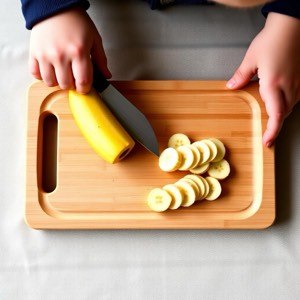
Every activity had to run on what's already in the house — pasta, a muffin tin, pom poms, a banana. That's not a content constraint, it's the whole product thesis. The moment a parent has to buy something, the habit breaks.

NO SCORES NO CHECKLISTS NO GUILT
A MUFFIN TIN.
THAT'S IT.
THE FOUNDER TEST
One engine, sold four times — start where the pain is loudest and the sale is smallest.

Schools are the biggest cheque and the slowest close. Parents are the fastest yes. So the sequencing writes itself: earn the habit with parents first, let homeschoolers prove the curriculum depth, let au pairs & nannies prove the shared-language case — then walk into a school with all three already working.

Same engine, different surface
Parents get daily picks. Homeschoolers get term plans. Teachers get session blocks. One activity library and one planner underneath all of it.
Free tier is a wedge, not a demo
Deliberately narrow — enough free activities to build the swipe-and-play habit, not enough to replace the catalog.
THE DESIGNER TEST
Two frameworks that never spoke to each other.

The planner tags activities by 6 Pillars — Little Roots' own curriculum lens. Growth tracks children against 6 developmental Domains — the conventional framework families and schools recognise. Both are genuinely useful. But they were never mapped to each other, so a parent who planned a Move activity had no way to see it show up as Physical progress. The plan and the proof were two separate products in one app.

PLANNER SAYS
Move
pillar · curriculum lens
GROWTH NOW SHOWS
Physical
domain · developmental framework
the fix wasn't a feature — it was a mapping nobody had written down
03 — SIX PILLARS · ONE ENGINE · TAP ONE

The pillars we plan by.

Every activity carries one primary pillar and up to three secondary — never more. That cap is what keeps browsing legible instead of collapsing into "every activity is everything."

PILLAR
Grow
PILLAR
Connect
PILLAR
Discover
PILLAR
Move
PILLAR
Explore
PILLAR
Reflect
↑ real themes, shot for the real product
04 — THE WEDGE

Start with the loudest pain.
End with the biggest cheque.

Four audiences, deliberately sequenced. Each one earns the right to the next.

STAGE 01 · MVP TESTED
Moms & parents
Fastest yes, hardest habit. Daily pillar-balanced picks, Learning Stories, Growth View.
STAGE 02 · MVP TESTED
Homeschoolers
Proves curriculum depth. Weekly plan grid, theme system, term portfolio & work samples.
STAGE 03 · MVP TESTED
Au pairs & nannies
Proves the shared-language case — a caregiver and a parent finally describing the day the same way.
WHY THIS ORDER
A school won't buy a planning tool that no parent has ever used. Every earlier stage is evidence for the next sales conversation.
05 — WHAT THE MVP TAUGHT ME

Tested with the people who'd actually open it.

Stay-at-home parents, homeschoolers and au pairs — not a focus group of people who don't live this.

WHAT LANDED
"Things I already have"
The single most repeated reaction. It removed the excuse before it formed.
Mess level, up front
Being honest about cleanup built more trust than any activity photo did.
No scores
Parents relaxed the moment they understood nothing was being graded — theirs or the child's.
WHAT DIDN'T
"Montessori play, one swipe away"
The shipped v1 line. Fast to market, but it boxed the product into one pedagogy's audience and read like every other listing.
Plan and proof were separate
Pillars in the planner, domains in Growth, no mapping between them — the app quietly asked users to hold two taxonomies at once.
Browsing without a cap
Before the "one primary + max three secondary" rule, every activity matched everything. Filters became useless.
THE REPOSITION THAT CAME OUT OF IT
From "a Montessori activity app"
to an AI platform for whole-child development.
Same 134 activities. Informed by Montessori, Reggio Emilia, Waldorf and Forest School — tied to none of them.
06 — PRODUCT THINKING

Why, not just what.

This one is early-stage and I'd rather say so than dress a hypothesis up as a result.

WHY IT EXISTS
Parents don't need another content library — they need a decision made for the exact child in front of them, right now. Swipe deck, age bands and mess filters all exist to answer "what do I do in the next ten seconds," not to be browsed like a catalog.
SUCCESS METRIC
Not downloads. Time-from-open to activity-started — everything about age-matching and mess filtering is designed against that one number. It isn't instrumented yet, and that's the next build.
TRADE-OFF
Hand-crafted animation for every activity would look better. Chose 8 reusable templates × 10 rotating characters for ~90% of the catalog — consistency and shipping speed over per-activity polish, because a solo founder can't art-direct 134 bespoke scenes.
PRIORITISATION
Parents → homeschoolers → au pairs & nannies → schools. Loudest pain and smallest sale first; the biggest, slowest buyer last, armed with evidence from all three earlier groups.
EXPERIMENT
The narrow free tier is a live pricing experiment, not a researched number. Same with the "one primary + max three secondary" pillar cap — a rule invented to keep filters meaningful, still to be validated at scale.
WHAT DIDN'T WORK
Shipping under Montessori-only branding. And letting two taxonomies — pillars and domains — coexist without a mapping, which silently broke the link between planning and proof.
WHAT I'D DO NEXT
Instrument the one metric that matters, then earn the school conversation: pillar coverage reporting is the artifact a head of school will ask for, and it's the one thing the parent-first strategy hasn't had to build yet.
still growing

A shipped app is the start, not the finish. The design work is deciding what it should become — and proving it with real activities, real families, real constraints.

← ALL CASE STUDIES BACK TO PORTFOLIO
LITTLE ROOTS · A CASE STUDY BY MARYAM RICHARDS